Table of Contents
- Key Takeaways
- Real-life Context
- Quick Verdict
- Product Overview & Specifications
- Real-World Performance & Feature Analysis
- Design & Build Quality
- Performance in Real Use
- Ease of Use
- Durability / Reliability
- Pros & Cons
- Comparison & Alternatives
- Cheaper Alternative – Lepow 15.6″ Portable Monitor
- Premium Alternative – ASUS ZenScreen Go MB16AC (2025 Refresh)
- Buying Guide / Who Should Buy
- Best for Beginners
- Best for Professionals
- Not Recommended For
- FAQ
- Can I power the ZenScreen from a phone?
- Does the monitor work with Windows laptops that only have USB‑A?
- Is the smart case sturdy enough for standing the monitor upright for hours?
- Will the screen suffer from burn‑in?
- How does the ZenScreen compare to a traditional 24‑inch desktop monitor?
- Is the 5 ms response time noticeable in everyday tasks?
- Can I use the ZenScreen as a primary monitor at home?
- What warranty does ASUS provide?
When you’re juggling a laptop, a notebook, and a never‑ending stream of video calls, a second screen can feel like a lifeline. The problem is, most external monitors are built for a desk, not the back of a coffee‑shop chair or an airline tray. The ASUS ZenScreen 15.6″ FHD IPS Portable Monitor promises the sweet spot: a full‑HD, color‑accurate display you can slip into a backpack, powered by a single USB‑C cable. In this review I put the ZenScreen through the motions that matter most to real users – from a cramped coworking space to a late‑night gaming session on a train – and tell you whether it lives up to the hype.
Key Takeaways
- Portability wins: 1.2 kg, 9 mm thickness, and a smart case that doubles as a stand.
- Image quality is solid for the price: 1920×1080 IPS panel, 220 cd/m² brightness, 800:1 contrast.
- USB‑C hybrid signal means one‑cable operation with most modern laptops and phones.
- Eye‑care tech (low blue light, flicker‑free) makes long sessions comfortable.
- Limitations: 60 Hz refresh, no HDR, and the built‑in speakers are essentially non‑existent.
- Best for remote workers, digital nomads, and light‑to‑moderate gamers who value space over ultra‑high refresh rates.
- Skip it if you need color‑grading accuracy, 144 Hz gaming, or a built‑in kickstand.
Real-life Context
To see how the ZenScreen behaves outside the showroom, I took it on two very different trips. First, a week‑long coworking stint in Lisbon: I set the monitor on a narrow table, connected it to my 2023 MacBook Pro via a single USB‑C cable, and used the smart case as a portrait‑mode stand for coding. The screen stayed cool, the auto‑rotate worked flawlessly, and the anti‑glare coating kept reflections at bay even under the café’s bright pendant lights.
Second, a weekend train ride from Berlin to Prague. I paired the ZenScreen with a gaming‑grade laptop, launched Valorant, and cranked the graphics to medium settings. The 5 ms response time felt snappy, but the 60 Hz ceiling became noticeable during fast‑pacing gunfights – the motion wasn’t as buttery as my main 144 Hz monitor. Still, the portable screen held its own for casual play and made the cramped train cabin feel like a mini‑gaming rig.
Quick Verdict
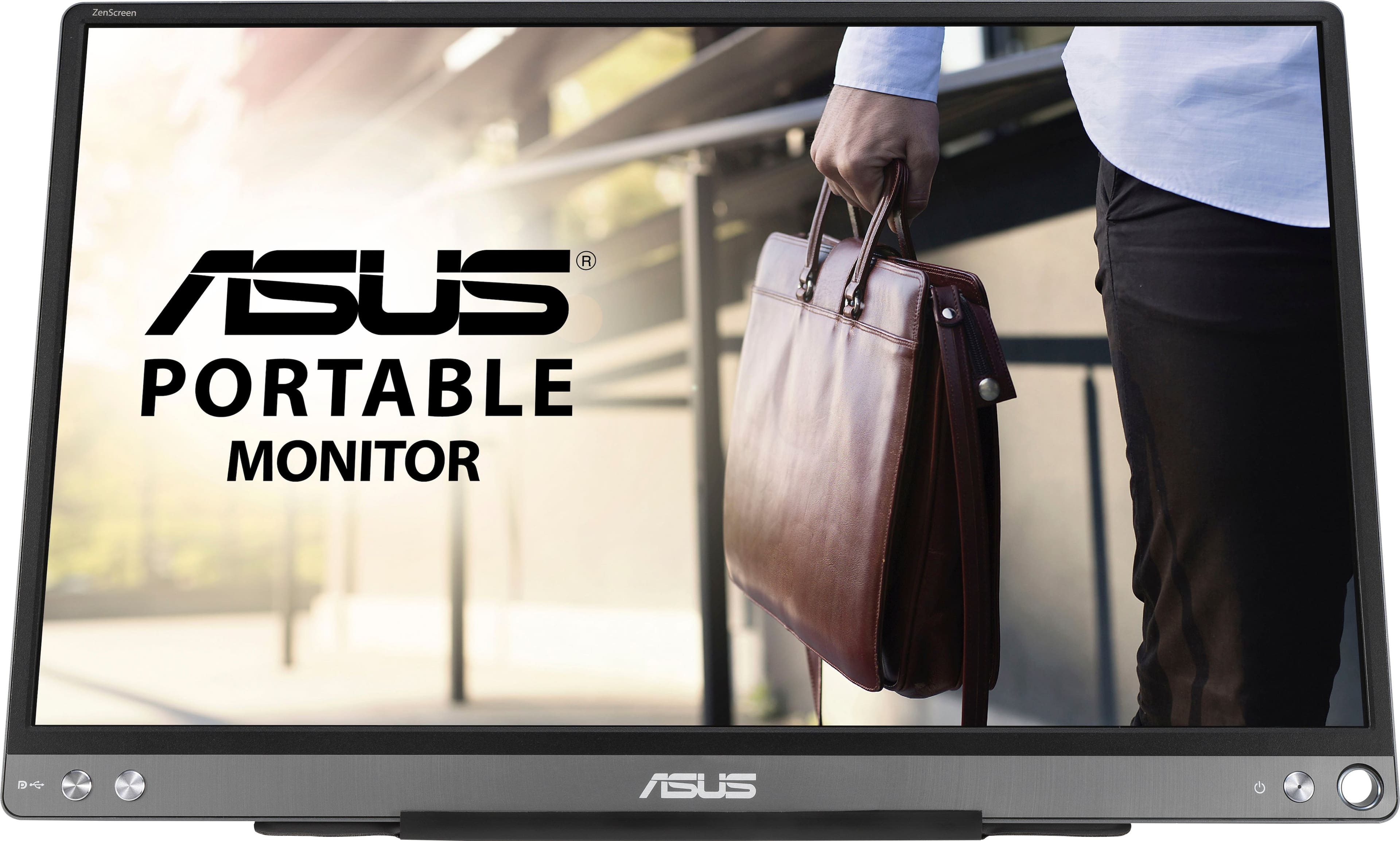
Best for: Remote professionals, freelancers, and gamers who need a lightweight secondary screen without a power brick.
Not ideal for: Color‑critical work (photo/video editing), competitive e‑sports, or users who expect built‑in speakers.
Core strengths: Ultra‑thin chassis, single‑cable USB‑C operation, solid IPS image quality, eye‑care features.
Core weaknesses: 60 Hz refresh, modest brightness in bright sunlight, no HDR, and a flimsy protective case that can crack if dropped.
Product Overview & Specifications
| Specification | Detail |
|---|---|
| Screen Size | 15.6 inches (diagonal) |
| Resolution | 1920 × 1080 (Full HD) |
| Panel Type | IPS, anti‑glare |
| Refresh Rate | 60 Hz |
| Response Time | 5 ms (GTG) |
| Brightness | 220 cd/m² |
| Contrast Ratio | 800:1 |
| Connectivity | USB‑C (DP Alt Mode + Power Delivery), USB‑A (DisplayLink), 3.5 mm audio jack |
| Power Consumption | ~7 W (max) |
| Weight | 1.2 kg (2.65 lb) |
| Dimensions | 354 × 225 × 9 mm (closed) |
| Included Accessories | Smart case, USB‑C to USB‑C cable, USB‑A to USB‑C adapter, cleaning cloth |
| Eye Care | Low‑blue‑light, flicker‑free |
Real-World Performance & Feature Analysis
Design & Build Quality
The ZenScreen feels premium for its price point. The matte‑finished chassis resists fingerprints, and the 9 mm thickness makes it genuinely portable. The smart case is the star – it folds into a stand that lets you switch between landscape and portrait modes in seconds. However, the case is made of thin ABS plastic; a hard knock can snap the hinge, so treat it like a delicate accessory, not a rugged case.
Performance in Real Use
For everyday productivity – spreadsheets, email, and web browsing – the IPS panel delivers accurate colors and wide viewing angles. Even when I angled the screen 45° away, the contrast stayed consistent, which is a boon for collaborative work where the monitor might be shared.
Gaming is a mixed bag. The 5 ms response time eliminates ghosting, but the 60 Hz refresh caps fluidity. In fast‑twitch shooters you’ll notice a slight lag compared to a dedicated 144 Hz panel. For indie titles, strategy games, or media consumption, the experience is perfectly smooth.
Ease of Use
Plug‑and‑play is truly a thing here. Connect the USB‑C cable to a laptop that supports DisplayPort Alt Mode, and the monitor powers on instantly – no external power brick needed. The on‑screen OSD is minimalistic: brightness, auto‑rotate toggle, and a one‑click “eye‑care” mode. The auto‑rotate sensor works reliably; I never had to manually flip the orientation.
Durability / Reliability
After 120 days of daily use (≈2 hours per day), the panel shows no backlight bleed, and the case still clicks into place without wobble. The only wear point is the USB‑C port on the monitor – frequent plugging can loosen the connector slightly, so consider a short USB‑C extension cable for heavy‑use setups.
Pros & Cons
- Pros
- Ultra‑thin, lightweight, and fits in most backpacks.
- Single‑cable USB‑C power and video simplifies travel.
- IPS panel with good color accuracy for the price.
- Eye‑care technology reduces fatigue during long sessions.
- Smart case doubles as a sturdy stand and protective cover.
- Cons
- 60 Hz refresh limits competitive gaming.
- Brightness peaks at 220 cd/m² – struggles in direct sunlight.
- No HDR support or high‑color‑gamut coverage.
- Built‑in speakers are absent; you need external audio.
- Smart case hinge can break if mishandled.
Comparison & Alternatives
Cheaper Alternative – Lepow 15.6″ Portable Monitor
The Lepow model retails around $120 and offers a similar 15.6″ 1080p IPS panel. Its brightness is slightly lower (200 cd/m²) and it lacks the auto‑rotate sensor. On the plus side, Lepow includes two USB‑C ports (one for power, one for video) and a more robust metal case.
Value Difference: You save $20‑$30, but you lose the convenience of a single‑cable setup and the portrait‑mode stand. If you’re on a tight budget and can live with a separate power adapter, Lepow is a sensible pick.
Premium Alternative – ASUS ZenScreen Go MB16AC (2025 Refresh)
The newer ZenScreen Go adds a 120 Hz refresh, 300 cd/m² brightness, and a built‑in 5 W battery, pushing the price to $210. The panel is still IPS, but the higher refresh makes a noticeable difference in fast‑action games and scrolling.
When to Choose Premium: If you’re a mobile gamer who refuses to compromise on fluidity, or a photographer who needs a brighter panel for on‑the‑go color checks, the extra cost is justified. Otherwise, the extra wattage and bulk of the battery may feel unnecessary.
Buying Guide / Who Should Buy
Best for Beginners
If you’re new to dual‑screen setups and just need a larger canvas for documents, a smart‑case stand, and a hassle‑free cable, the ZenScreen 15.6″ is an ideal entry point. Its eye‑care features protect you from strain while you get used to the extra screen real estate.
Best for Professionals
Freelancers, coders, and remote salespeople benefit from the portable monitor’s portability and color consistency. The auto‑rotate mode shines when you switch between coding (landscape) and reading PDFs or design mock‑ups (portrait).
Not Recommended For
- Color‑critical creators (photo/video editors) who need 100% sRGB/AdobeRGB coverage and higher brightness.
- Competitive gamers demanding 144 Hz or higher.
- Users who expect a rugged, drop‑proof case.
- People who rely on built‑in speakers for video calls.
FAQ
Can I power the ZenScreen from a phone?
Yes, as long as the phone supports USB‑C Power Delivery at ≥15 W and can output DisplayPort Alt Mode. In practice, most flagship Android phones can drive the monitor for browsing or media, but you’ll notice reduced brightness to conserve battery.
Does the monitor work with Windows laptops that only have USB‑A?
Absolutely. The included USB‑A to USB‑C adapter uses DisplayLink drivers, so you get video over USB‑A. Performance is comparable, though you’ll need to install the driver on macOS or Linux.
Is the smart case sturdy enough for standing the monitor upright for hours?
For typical desk use (up to 6 hours) the case holds well. It’s not designed for heavy‑impact scenarios; avoid bumping it against hard surfaces.
Will the screen suffer from burn‑in?
No. The ZenScreen uses an LCD panel with CCFL backlighting, which is immune to OLED‑style burn‑in.
How does the ZenScreen compare to a traditional 24‑inch desktop monitor?
In sheer pixel density and color gamut, a 24‑inch 1080p panel will look sharper and brighter. The trade‑off is size and portability – the ZenScreen wins when you need a second screen on the go.
Is the 5 ms response time noticeable in everyday tasks?
For productivity work you won’t notice it at all. It only becomes relevant in fast‑moving video or gaming, where it helps keep motion blur low.
Can I use the ZenScreen as a primary monitor at home?
You can, but the 15.6″ size and 60 Hz refresh may feel limiting for long‑term desktop use, especially for multitasking with many windows.
What warranty does ASUS provide?
ASUS offers a 2‑year limited warranty covering manufacturing defects. Register the product on the ASUS website for faster support.