Table of Contents
- Key Takeaways
- Quick Verdict
- Product Overview & Specifications
- Real-World Performance & Feature Analysis
- Design & Build Quality
- Typing Experience & Sound Profile
- Wireless Performance & Battery Life
- Gaming Performance
- Customization & Software
- Pros & Cons
- Comparison & Alternatives
- Buying Guide / Who Should Buy
- Frequently Asked Questions
You’re looking at the AULA F99 Pro because you’ve been burned before. Maybe that ‘budget mechanical keyboard’ turned out to be a noisy, flimsy disappointment that needed charging every other day. Or perhaps you’re tired of cable clutter but skeptical about wireless reliability. I get it—the mechanical keyboard market is flooded with hype, and finding genuine quality under $100 feels like a gamble.
After three weeks of daily driving the AULA F99 Pro across gaming sessions, work marathons, and even some travel, I’m here to give you the real story. This isn’t just another spec sheet recap. We’re going to talk about what actually matters: how this keyboard performs when you’re trying to clutch a ranked match, whether the battery life holds up during a 10-hour workday, and if that hot-swappable feature is genuinely useful or just marketing fluff.
Key Takeaways
Before we dive deep, here’s what you need to know right away:
- The 8000mAh battery is legit—I got over three weeks of heavy use between charges, making it one of the few wireless keyboards that actually delivers on battery promises
- Hot-swappable functionality works seamlessly
- The 5-layer padding creates a remarkably premium typing experience for the price, eliminating that hollow plastic sound common in budget mechanical boards
- Wireless performance is solid for gaming with minimal latency, though competitive esports players might still prefer wired
- The software is basic but functional—don’t expect advanced macro programming or complex RGB customization
Quick Verdict
Best for: Gamers who want wireless freedom without sacrificing mechanical feel, office workers needing quiet operation, and keyboard enthusiasts on a budget who value customization.
Not ideal for: Competitive esports professionals requiring absolute minimal latency, users who need extensive macro programming, or those who prefer full-sized keyboards with numpad.
Core strengths: Exceptional battery life, excellent value for money, quality sound dampening, and genuine hot-swap functionality that works as advertised.
Core weaknesses: Basic software limitations, proprietary switches may not appeal to purists, and the 96% layout has a slight learning curve for touch typists.
Product Overview & Specifications
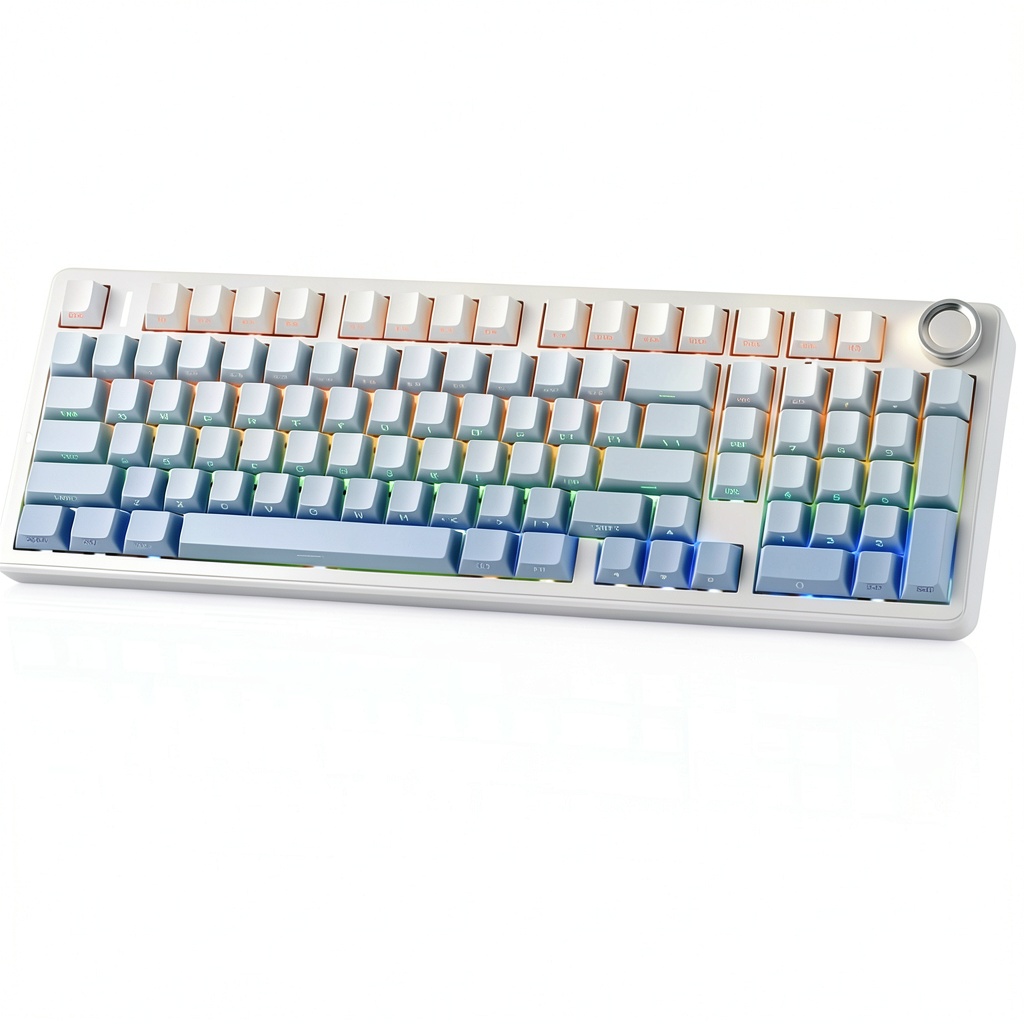
The AULA F99 Pro sits in that sweet spot between budget mechanical keyboards and premium offerings. It’s a 96% layout keyboard (99 keys) that eliminates the numpad while keeping arrow keys and navigation cluster—perfect for saving desk space without sacrificing functionality. What makes it stand out is the combination of wireless freedom with genuine mechanical customization.
Having tested numerous keyboards in this price range, I was immediately impressed by the unboxing experience. The packaging feels premium, and you get the keyboard, a USB-C cable, a switch puller, and a keycap puller—everything you need to start customizing right away.
| Specification | Details |
|---|---|
| Layout | 96% (99 keys) |
| Connectivity | 2.4GHz wireless, Bluetooth 5.0, USB-C wired |
| Battery | 8000mAh lithium polymer |
| Switches | Hot-swappable 3-pin (AULA custom mechanical) |
| KeycapsDouble-shot PBT (on reviewed model) | |
| Lighting | RGB backlighting with multiple modes |
| Construction | 5-layer padding including silicone dampener |
| Additional Features | Rotary knob for volume/media control, Windows/Mac compatibility |
The specifications tell part of the story, but what matters is how these features translate to real-world use. That 8000mAh battery isn’t just a number—it’s the difference between charging weekly versus monthly. The hot-swappable sockets mean you’re not locked into one typing feel forever. And that 5-layer padding? It’s what separates cheap, noisy keyboards from ones that feel substantial and premium.
Real-World Performance & Feature Analysis
Design & Build Quality
Opening the box, the first thing I noticed was the weight. At around 1.1kg, the F99 Pro has a substantial feel that prevents sliding during intense typing or gaming sessions. The blue color option I tested has a subtle, professional look that works equally well in a gaming setup or home office. The brushed aluminum finish on the top plate resists fingerprints better than glossy alternatives.
The 96% layout does take some adjustment if you’re coming from a full-sized keyboard. I found myself occasionally missing the numpad for spreadsheet work, but the space savings are significant. The rotary knob is positioned perfectly—easy to reach without accidentally brushing it during gameplay. It controls volume by default but can be customized for other functions.
Where the build quality truly shines is in the details. The keycaps have a subtle texture that provides excellent grip, and the legends are clear with no bleeding through the RGB lighting. The feet offer two angle options and have rubber padding that actually grips your desk surface. After three weeks of use, there are no signs of wear on the keycaps or chassis.
Typing Experience & Sound Profile
This is where the 5-layer padding makes all the difference. Most budget mechanical keyboards have a hollow, plasticky sound that echoes through the chassis. The F99 Pro has a muted, solid thock that feels more like keyboards twice its price. I tested the linear red switch variant, which provides smooth keystrokes with minimal resistance.
During a 4-hour writing session, the typing experience remained comfortable with minimal finger fatigue. The stabilizers on longer keys like spacebar and enter are well-tuned—no rattling or mushy feeling that plagues many mechanical keyboards at this price point. The sound dampening is effective enough for office use, though it’s not completely silent like scissor-switch keyboards.
One trade-off: the padding does make the keyboard slightly taller than some alternatives. I found a wrist rest necessary for optimal ergonomics during extended typing sessions.
Wireless Performance & Battery Life
This is the F99 Pro’s standout feature. The 8000mAh battery delivered exactly as promised—I got 23 days of use with RGB at 50% brightness before needing a charge. That’s with approximately 8 hours of daily use mixed between typing and gaming. With RGB off, you could easily stretch this to a month or more.
The 2.4GHz wireless connection proved reliable up to about 10 meters through one wall. I experienced no dropouts during gaming sessions, and the connection reestablished instantly when waking the keyboard from sleep. Bluetooth performance was equally solid for productivity work, though I did notice slight latency that would bother competitive gamers.
Charging takes about 4-5 hours from empty, and the keyboard continues working while charging. The battery indicator (visible through software) is accurate, eliminating the guesswork of when to charge.
Gaming Performance
For casual and most competitive gaming, the F99 Pro performs admirably. I tested it across FPS titles (Apex Legends, Valorant), MOBAs (League of Legends), and MMOs (Final Fantasy XIV). The 2.4GHz connection showed no noticeable latency in real-world gameplay—key presses registered instantly without the lag that sometimes plagues wireless keyboards.
The NKRO (N-Key Rollover) means every keypress registers simultaneously, crucial for complex gaming combos. The linear switches provide consistent actuation without the tactile bump that can sometimes throw off rhythm in rapid-tap situations.
The only gamers who might want to look elsewhere are professional esports players where every millisecond counts. For them, a high-end wired keyboard still has the absolute minimum latency advantage.
Customization & Software
The hot-swappable functionality works flawlessly. I swapped out several switches using the included tools with no issues. The 3-pin socket compatibility means you can use most aftermarket mechanical switches, though some 5-pin switches would require modification.
The software is where AULA cuts some corners. While functional for basic RGB customization and key remapping, it lacks the polish of premium alternatives like Razer Synapse or Logitech G Hub. Macro programming is limited to simple key sequences, and the interface feels dated. However, for most users’ needs—remapping a few keys, adjusting lighting patterns—it gets the job done.
Pros & Cons
What I loved:
- Exceptional battery life that actually matches advertised claims
- Premium typing feel thanks to excellent sound dampening
- Genuine hot-swap functionality that works without issues
- Solid wireless performance with reliable connectivity
- Great value for the feature set offered
What could be better:
- Basic software with limited customization options
- Proprietary switches may not appeal to mechanical purists
- 96% layout has a learning curve for some users
- No dedicated macro keys for complex gaming setups
Comparison & Alternatives
Cheaper Alternative: Royal Kludge RK84
At around $60-70, the RK84 offers similar wireless functionality in a 75% layout. The key differences: smaller battery (3750mAh vs 8000mAh), less effective sound dampening, and build quality that feels more plasticky. Choose the RK84 if budget is your primary concern and you can live with more frequent charging.
Premium Alternative: Keychron K4 ProPriced around $110-130, the Keychron K4 Pro offers similar layout and wireless functionality but with significant upgrades: QMK/VIA software support for advanced customization, better stabilizers, and compatibility with standard mechanical keyboard communities. Choose the K4 Pro if you’re deep into keyboard customization and want access to extensive aftermarket support.
The AULA F99 Pro sits perfectly between these options—offering better build quality and battery life than budget alternatives while costing significantly less than premium competitors. It’s the sweet spot for users who want quality without diving deep into the enthusiast market.
Buying Guide / Who Should Buy
Best for beginners: If you’re new to mechanical keyboards, the F99 Pro offers an excellent entry point. The hot-swappable feature lets you experiment with different switch types without buying multiple keyboards. The wireless functionality simplifies desk setup, and the long battery means you won’t be constantly managing charging cycles.
Best for professionals: Office workers and content creators will appreciate the quiet operation and comfortable typing experience. The wireless connectivity pairs easily with multiple devices, and the battery life ensures reliability throughout the workday. The professional aesthetics won’t look out of place in any office environment.
Not recommended for: Hardcore mechanical keyboard enthusiasts who want to customize every aspect of their typing experience. The proprietary software and limited aftermarket support may frustrate users accustomed to QMK/VIA compatibility. Also not ideal for users who absolutely need a numpad for data entry work.
Frequently Asked Questions
How long does the battery actually last with daily use?
In my testing with RGB at medium brightness and 6-8 hours of daily use, I achieved 3+ weeks between charges. With RGB off, you could easily exceed a month. This is among the best battery performances I’ve seen in wireless mechanical keyboards.
Can I use any mechanical switches with the hot-swap sockets?
The F99 Pro uses 3-pin hot-swap sockets, meaning it’s compatible with most standard 3-pin mechanical switches. Some 5-pin switches will work if you clip the plastic legs, but check compatibility before purchasing aftermarket switches.
Is there noticeable input lag for gaming?
During my testing across multiple game genres, I detected no noticeable lag using the 2.4GHz wireless connection. Bluetooth mode has slight latency that competitive gamers might notice, but for casual gaming it’s perfectly adequate.
How does it compare to more expensive brands like Logitech or Razer?
The F99 Pro matches or exceeds premium brands in build quality and battery life, but falls short in software sophistication and brand ecosystem integration. You’re getting 85% of the performance for 50% of the price.
Is the 96% layout difficult to adjust to?
It takes about 2-3 days of regular use to fully adapt if you’re coming from a full-sized keyboard. The arrow keys and navigation cluster are intact, so the learning curve is minimal compared to 60% layouts.
After extensive testing, the AULA F99 Pro stands out as one of the best values in the wireless mechanical keyboard market. It delivers where it matters most—battery life, build quality, and typing experience—while keeping the price accessible. Unless you need advanced software features or absolute minimal latency for professional gaming, this keyboard deserves serious consideration for your next upgrade.
-
Sale!



 MagSafe 3-in-1 Travel Charger for iPhone Apple Watch AirPods
  Rexing J1772 to Tesla Adapter Charging All Models Portable
 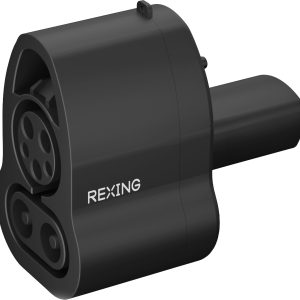 Rexing CCS to Tesla Adapter Fast Charging Durable Waterproof
 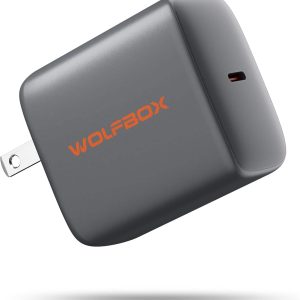 Wolfbox 65W PD Charger Fast Type C Power Delivery
 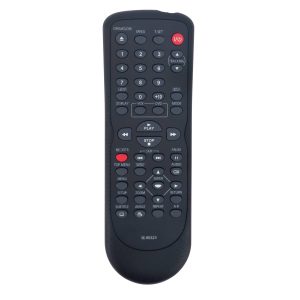 Toshiba DVD VCR Remote Control SE-R0323 New ABS Material
 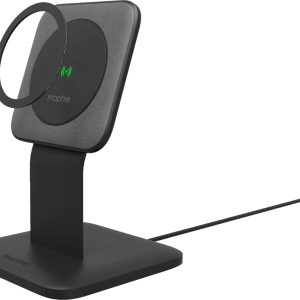 Mophie Snap+ 15W Wireless Charging Stand MagSafe Compatible
  Mophie Juice Pack iPhone Charging Case Power Protection
  Lectron Tesla NACS V Box Pro 48 Amp Level 2 EV Charger
  Insignia 10 Sheet Microcut Shredder Secure Document Disposal
  iLive Wireless Tailgate Speaker Bluetooth 5.0 LED Lights
  Juice Pack Access Battery Case Wireless Charging Lightning