
Description
Product Overview
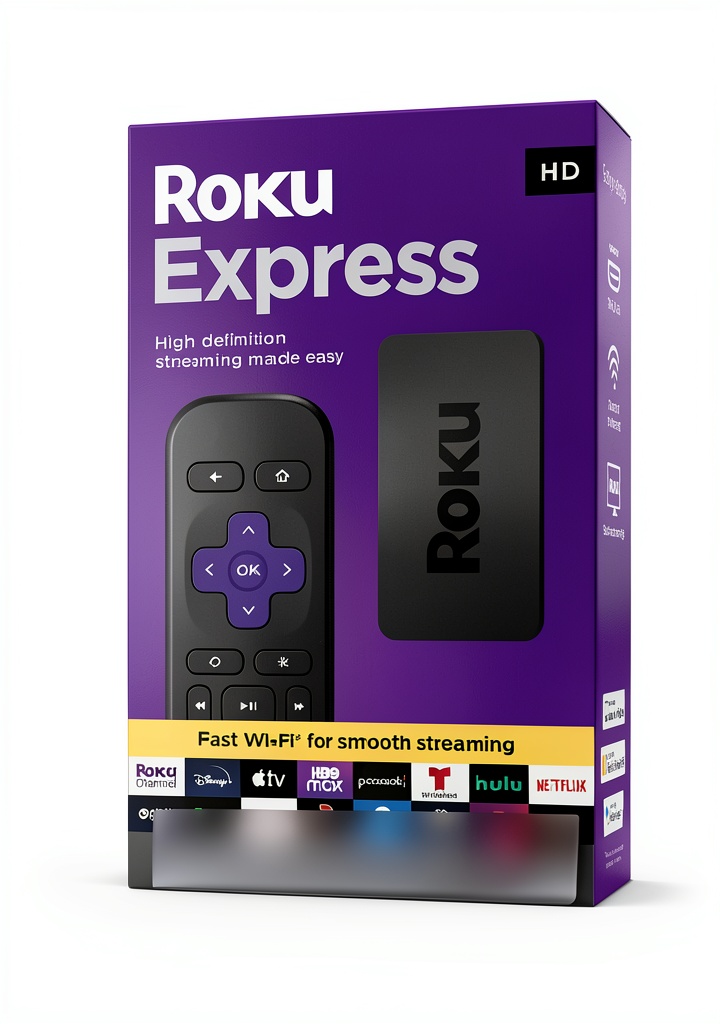
The Roku Express HD streaming media player is designed for high-definition entertainment, featuring a high-speed HDMI cable for reliable connectivity and a Roku Voice Remote that simplifies control. This device enables you to power on your TV, adjust volume, mute audio, and search for content using voice commands, ensuring a user-friendly streaming experience. Built with durable materials and compact design, it supports seamless integration with various TVs and streaming platforms, making it a versatile addition to any home entertainment setup.
Usage
The Roku Express is ideal for everyday home use, allowing users to stream movies, shows, and music in HD quality. It suits living rooms, bedrooms, or any space with a compatible TV, catering to individuals and families seeking convenient access to entertainment. Whether for relaxing evenings, family gatherings, or personal viewing, this media player enhances the experience with easy voice-controlled navigation and TV management.
Why Choose Us
Our Roku Express stands out due to its high-quality construction, reliable performance, and intuitive voice remote that reduces the need for multiple controllers. We prioritize user satisfaction with robust materials and thorough testing, ensuring long-lasting durability and smooth operation. This product offers excellent value by combining essential features with affordability, backed by trusted support and a straightforward setup process.
Key Features
- High-definition streaming with high-speed HDMI cable for crisp video and audio
- Voice remote with TV controls for power, volume, and mute functions
- Easy content search using voice commands to find shows and movies quickly
- Compact and lightweight design for simple installation and portability
- Compatible with a wide range of streaming services and TV models
FAQ
What is included with the Roku Express?
The package includes the Roku Express HD streaming media player, a high-speed HDMI cable, and a Roku Voice Remote with batteries for immediate use.
How do I set up the Roku Express?
Connect the Roku Express to your TV using the HDMI cable, plug it into a power source, and follow the on-screen instructions to connect to Wi-Fi and activate the device.
Can I use the voice remote to control other devices?
The voice remote is designed primarily for the Roku Express and TV functions like power and volume; it may not control external devices beyond compatible TVs.
Does the Roku Express support 4K streaming?
No, the Roku Express is optimized for HD streaming up to 1080p, providing clear and reliable performance for standard high-definition content.
Is there a subscription required to use the Roku Express?
No subscription is needed for the device itself, but you will need accounts for streaming services like Netflix or Hulu, which may have their own fees.
Reviews
There are no reviews yet.