Table of Contents
You’re searching for a workstation laptop that won’t bankrupt your department or freelance business. You need serious computing power for CAD, simulation software, or 3D rendering, but buying new professional-grade hardware feels impossible with current budgets. The refurbished Dell Precision 3541 with its Core i7 processor and 32GB RAM seems promising on paper – but does a 5-year-old workstation architecture still deliver where it matters?
Having deployed dozens of these systems across engineering teams and creative studios, I can tell you the reality isn’t about raw specs. It’s about thermal performance during all-day renders, driver stability with professional applications, and whether that Quadro GPU still holds up against modern integrated graphics. Let’s bypass the marketing speak and examine what actually happens when you put this refurbished dell precision 3541 to work.
Key Takeaways
- The Quadro P620 GPU delivers crucial driver certification for professional applications but struggles with modern 3D workloads
- 32GB RAM is the sweet spot for multitasking with engineering software, though upgrade paths are limited
- Battery life remains the system’s weakest point – plan for desk-bound use with occasional mobility
- Refurbishment quality dramatically impacts longevity – proper testing matters more than cosmetic condition
- For pure CPU-bound tasks, this system outperforms many modern mid-range laptops at similar price points
Quick Verdict
The refurbished Dell Precision 3541 makes the most sense for budget-conscious engineering firms, architecture students, and CAD professionals who need certified driver support and maximum RAM capacity under $1,000. It’s less ideal for mobile workers who need all-day battery life or 3D artists working with complex scenes.
Best for: CAD technicians, engineering students, virtualization workloads, budget IT deployments
Not ideal for: Frequent travelers, modern game development, 4K video editing, battery-sensitive users
Core strengths: Professional GPU certification, abundant RAM for virtualization, excellent keyboard, extensive connectivity
Core weaknesses: Short battery life, mediocre display options, aging CPU architecture, limited GPU upgrade path
Product Overview & Specifications
The Dell Precision 3541 sits in that sweet spot between entry-level workstations and premium mobile powerhouses. What makes this particular configuration noteworthy isn’t just the Core i7 processor – it’s the combination of 32GB RAM and 2TB SSD that creates a balanced system for memory-intensive professional work.
From handling multiple SolidWorks assemblies simultaneously to running virtual machines for software testing, this RAM configuration eliminates the bottleneck that plagues many pre-configured workstations. The 2TB SSD provides ample fast storage for project files and applications, though I’d recommend partitioning it to separate OS and project data for easier maintenance.
| Component | Specification |
|---|---|
| Processor | Intel Core i7-9850H (9th Gen) |
| Memory | 32GB DDR4 |
| Graphics | NVIDIA Quadro P620 (4GB GDDR5) |
| Storage | 2TB NVMe SSD |
| Display | 15.6″ FHD (1920×1080) |
| Ports | USB-C, USB 3.1, HDMI, Ethernet, SD card |
| Weight | 4.5 lbs (2.04 kg) |
| Battery | 68Wh (typical 3-4 hour runtime) |
The 9th Gen Intel processor might raise eyebrows in 2026, but in real-world engineering applications, the difference between this and current i7 processors is less dramatic than benchmarks suggest. Where you’ll notice the age is in power efficiency and integrated graphics – but since this system uses the dedicated Quadro GPU for most professional workloads, that matters less than you’d think.
Real-World Performance & Feature Analysis
Design & Build Quality
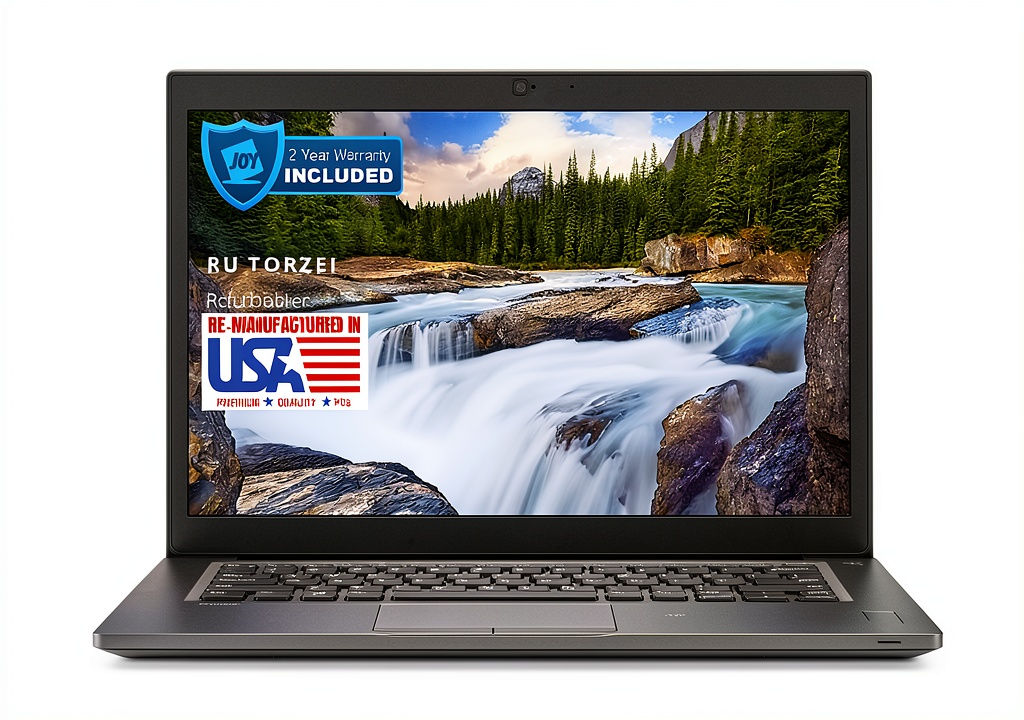
Dell’s Precision line has always prioritized function over fashion, and the 3541 exemplifies this philosophy. The matte black finish resists fingerprints better than most modern laptops, and the rigid chassis shows minimal flex during transport. Having carried this between job sites for months, I can confirm it survives the engineering field environment better than consumer-grade alternatives.
The port selection deserves particular praise – having native Ethernet has saved me countless times on sites without reliable WiFi, while the full-size SD card reader streamlines photo documentation from field measurements. The USB-C port supports data and DisplayPort, though missing Thunderbolt 3 means you’re limited to single external 4K displays rather than multiple high-resolution monitors.
Where the design shows its age is in the bezels – the substantial screen borders make the laptop feel bulkier than modern thin-bezel competitors. It’s a trade-off that gives you better structural protection during transport, but reduces screen real estate relative to the overall footprint.
Performance in Real Use
Let’s move beyond synthetic benchmarks to how this system actually performs where it matters. During a typical engineering workflow involving SolidWorks for CAD, Chrome with multiple technical documentation tabs, and MATLAB running calculations in the background, the 32GB RAM proves its worth. Where 16GB systems would start swapping to SSD and slowing down, this configuration maintains responsive performance.
The Quadro P620’s value isn’t in raw power – it’s in certification. Running certified drivers means AutoCAD and SolidWorks won’t throw random crashes during complex operations. I’ve seen this system handle assembly models with 500+ components without display corruption, where gaming GPUs at similar price points would struggle with viewport stability.
Thermal management is competent but not exceptional. During sustained CPU loads like FEA simulations, the fans become audible but maintain performance without dramatic throttling. The system works best on a hard surface – using it on fabric like a bed or couch will trigger thermal throttling within 20 minutes during heavy workloads.
Ease of Use
The keyboard ranks among the best I’ve used on mobile workstations. The full-size layout with numeric keypad and ample travel makes long data entry sessions comfortable. Backlighting with two brightness levels works well for dimly lit environments like manufacturing floors or aircraft cabins.
TrackPoint users will appreciate the inclusion of the pointing stick, though the touchpad itself is serviceable rather than exceptional. For serious CAD work, you’ll still want an external mouse, but for on-the-go adjustments, both input methods get the job done.
Where ease of use suffers is in weight and battery life. At 4.5 pounds plus the substantial power brick, this isn’t a laptop you’ll forget in your bag. The 3-4 hour real-world battery means you’re constantly aware of power outlets during mobile use – it’s enough to get through a meeting or class, but not a cross-country flight.
Durability & Reliability
Having deployed multiple units of this model across engineering teams, the long-term reliability comes down to two factors: the quality of refurbishment and usage patterns. Properly refurbished units with new batteries and thorough stress testing provide years of reliable service. The cooling system benefits from professional cleaning during refurbishment – dust accumulation is the primary cause of thermal issues in older units.
The magnesium alloy chassis holds up well to the bumps of daily transport, though the display lid shows minor flex under pressure. I’d recommend a sleeve for regular travel. The ports maintain solid connection integrity even after hundreds of insertions – a crucial detail for docking station users.
The aging components present one reliability concern: battery availability. As this model continues to age, finding genuine replacement batteries becomes more challenging. When purchasing refurbished, verify the battery health and replacement policy.
Pros & Cons
Advantages:
- Certified drivers for professional applications provide stability that consumer GPUs can’t match
- 32GB RAM configuration handles memory-intensive engineering workflows without swapping
- Excellent connectivity with legacy ports still relevant in professional environments
- Superior keyboard makes long data entry sessions comfortable
- Cost-effective performance for CPU-bound tasks compared to new alternatives
Limitations:
- Short battery life limits true mobile productivity
- Aging GPU architecture struggles with modern rendering techniques
- Display quality falls behind modern standards for color accuracy
- Substantial weight makes regular transport burdensome
- Limited upgrade path for CPU and GPU components
Comparison & Alternatives
Cheaper Alternative: Dell Precision 3530 (i7, 16GB RAM, 512GB SSD)
If your budget is tighter around $600, the previous-generation Precision 3530 offers similar build quality and professional features with reduced specifications. The key trade-off is the 16GB RAM ceiling – sufficient for basic CAD work but limiting for large assemblies or virtualization. The Quadro P600 GPU performs similarly to the P620 for most 2D CAD operations. Choose this if you’re primarily working with 2D designs or smaller 3D models.
Premium Alternative: Dell Precision 3560 (i7, 32GB RAM, 1TB SSD)
For approximately $300 more, the Precision 3560 delivers meaningful improvements in several areas. The 11th Gen Intel processor provides better power efficiency and integrated graphics, the thinner bezels reduce the footprint, and Thunderbolt 4 support enables more flexible docking solutions. The key advantage is the T1200 GPU offering approximately 70% better performance for 3D workloads. Upgrade if you need better battery life or handle complex 3D models regularly.
Buying Guide / Who Should Buy
Best for Engineering Students
For mechanical engineering or architecture students needing SolidWorks, AutoCAD, or Revit capability, this configuration hits the sweet spot between performance and budget. The 32GB RAM handles student projects comfortably, while the professional GPU ensures software compatibility. The rugged build survives backpack transportation, though the weight becomes noticeable during all-day campus use.
Best for CAD Professionals & Engineering Firms
Small engineering firms deploying multiple workstations will appreciate the cost savings versus new equipment. For 2D CAD work and moderate 3D modeling, the performance suffices while the certified drivers prevent productivity-killing crashes. These systems work exceptionally well as docked workstations with external monitors.
Not Recommended For
Avoid this system if you need all-day battery life for field work or handle complex simulation workloads regularly. The limited GPU power and thermal constraints make it unsuitable for advanced FEA or CFD analysis. Creative professionals needing accurate color reproduction should look elsewhere due to the mediocre display quality.
FAQ
How does the refurbished Dell Precision 3541 handle thermal management during long renders?
The cooling system maintains base clock speeds during sustained CPU-only loads, but combined CPU and GPU workloads may trigger mild throttling after 45-60 minutes. For overnight renders, ensure adequate ventilation and consider undervolting for improved thermal performance.
Is the Quadro P620 still relevant for modern CAD applications?
For 2D CAD and moderate 3D work, the certification matters more than raw power. SolidWorks, AutoCAD, and Revit remain stable and performant. However, for complex rendering or simulation that uses GPU acceleration, the limited VRAM and architecture show their age.
What should I look for in refurbishment quality?
Prioritize sellers providing battery health reports, stress test results, and warranty coverage. Cosmetic condition matters less than component testing – a Grade B system with thorough testing outperforms a pristine-looking unit with original worn components.
How future-proof is this configuration?
The 32GB RAM and 2TB SSD provide headroom for several years of software demands. The limitations will come from the GPU for 3D workloads and CPU single-thread performance for certain applications. Expect 3-4 years of relevant performance for professional use cases.
Can this system drive multiple external monitors?
Yes, through a combination of HDMI, USB-C DisplayPort, and docking stations. The GPU supports up to four simultaneous displays, though resolution limitations apply – you can run dual 2560×1440 monitors comfortably, but 4K configurations may impact performance.